
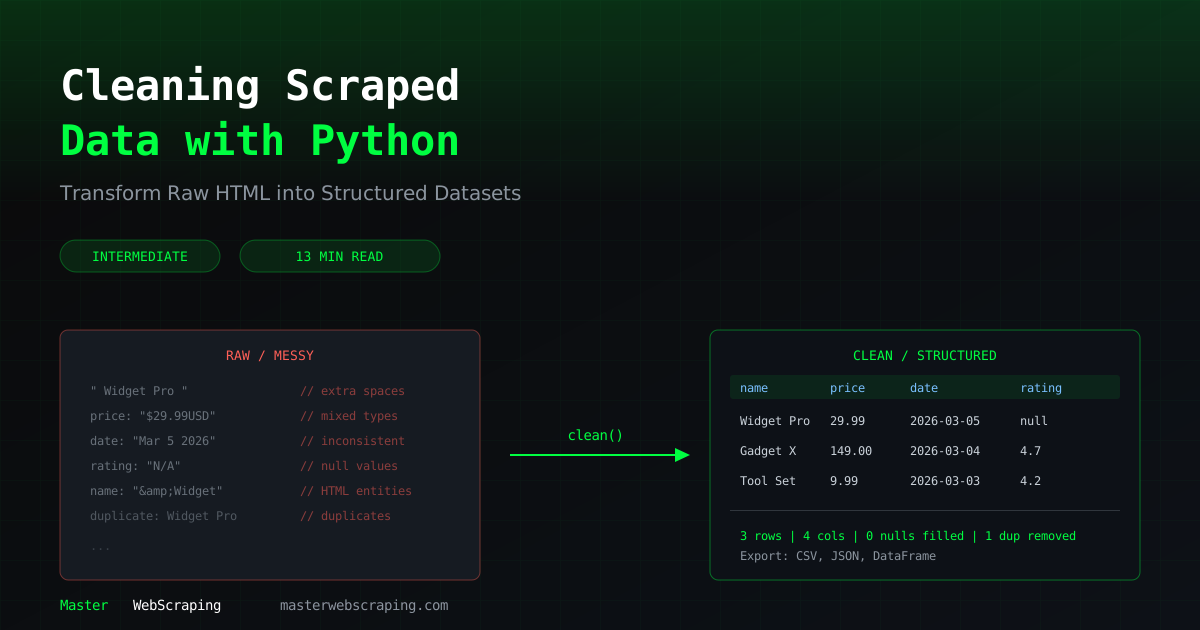
How to Clean Scraped Data with Python and pandas
You've scraped the data. Now what? Raw scraped data is almost always messy — inconsistent formatting, missing values, duplicates, and encoding issues. Cleaning it is not optional if you want usable results.
This guide covers practical techniques for cleaning scraped data using Python and pandas.
Why Cleaning Matters
Here's what raw scraped data typically looks like:
name,price,rating
"  iPhone 15 Pro  ", "$1,199.00 ", "4.5 out of 5"
"iPhone 15 Pro", "1199", "4.5/5"
"IPHONE 15 PRO ", "$1,199", ""
"Samsung Galaxy S24", "N/A", "4.3 stars"
Three entries for the same product, inconsistent price formats, missing ratings, and extra whitespace everywhere. Feed this into an analysis pipeline and you'll get garbage results.
Common Data Issues
| Issue | Example | Fix |
|---|---|---|
| Extra whitespace | " iPhone 15 " | .strip() |
| Inconsistent casing | "iphone" vs "IPHONE" | .str.lower() or .str.title() |
| Mixed formats | "$1,199" vs "1199" | Regex + type conversion |
| Missing values | "" or "N/A" | Replace with NaN, then handle |
| Duplicates | Same product twice | .drop_duplicates() |
| Encoding issues | "Café" instead of "Cafe" | Fix encoding at scrape time |
| HTML artifacts | "Price&Cost" | html.unescape() |
Setting Up pandas
import pandas as pd
import re
# Load your scraped data
df = pd.read_csv("raw_products.csv")
# Or create from a list of dicts (common when scraping)
products = [
    {"name": "  iPhone 15 Pro  ", "price": "$1,199.00", "rating": "4.5 out of 5"},
    {"name": "Samsung Galaxy S24", "price": "$899", "rating": "4.3 stars"},
]
df = pd.DataFrame(products)
print(df.info())
Cleaning Text Data
Whitespace and Case Normalization
# Strip leading/trailing whitespace from all string columns
df = df.apply(lambda col: col.str.strip() if col.dtype == "object" else col)
# Normalize product names to title case
df["name"] = df["name"].str.title()
# Remove extra internal spaces ("iPhone  15" -> "iPhone 15")
df["name"] = df["name"].str.replace(r"\s+", " ", regex=True)
Cleaning HTML Artifacts
import html
# Fix HTML entities
df["name"] = df["name"].apply(lambda x: html.unescape(x) if isinstance(x, str) else x)
# Remove any remaining HTML tags
df["description"] = df["description"].str.replace(r"<[^>]+>", "", regex=True)
Normalizing Prices
Prices are one of the messiest fields. Different sites format them differently.
def clean_price(value):
    """Convert price strings to float."""
    if pd.isna(value) or value in ("", "N/A", "n/a", "-"):
        return None
# Convert to string if needed
    value = str(value)
# Remove currency symbols and thousands separators
    cleaned = re.sub(r"[^\d.]", "", value)
try:
        return float(cleaned)
    except ValueError:
        return None
df["price"] = df["price"].apply(clean_price)
df["original_price"] = df["original_price"].apply(clean_price)
# Calculate discount percentage
df["discount_pct"] = ((df["original_price"] - df["price"]) / df["original_price"] * 100).round(1)
Normalizing Dates
Scraped dates come in every format imaginable.
# Common date formats you'll encounter
date_samples = [
    "March 15, 2026",
    "15/03/2026",
    "2026-03-15",
    "3/15/26",
    "15 Mar 2026",
]
# pandas handles most formats automatically
df["date"] = pd.to_datetime(df["date"], format="mixed", dayfirst=False)
# For stubborn formats, specify explicitly
df["date"] = pd.to_datetime(df["date"], format="%B %d, %Y")
# Standardize to ISO format
df["date_str"] = df["date"].dt.strftime("%Y-%m-%d")
Deduplication Strategies
Duplicates in scraped data come from two sources: scraping the same page twice, and the same product appearing in multiple categories.
Exact Duplicates
# Remove rows that are identical across all columns
df = df.drop_duplicates()
print(f"Rows after dedup: {len(df)}")
Fuzzy Duplicates
Same product with slightly different names or formatting:
# Deduplicate by a key column
df = df.drop_duplicates(subset=["product_url"], keep="first")
# Or by normalized name
df["name_normalized"] = df["name"].str.lower().str.strip()
df = df.drop_duplicates(subset=["name_normalized"], keep="first")
df = df.drop(columns=["name_normalized"])
For more advanced fuzzy matching, use the thefuzz library:
from thefuzz import fuzz
def find_duplicates(names, threshold=85):
    """Find fuzzy duplicate pairs."""
    duplicates = []
    for i, name1 in enumerate(names):
        for j, name2 in enumerate(names):
            if i < j and fuzz.ratio(name1.lower(), name2.lower()) >= threshold:
                duplicates.append((i, j, name1, name2))
    return duplicates
dupes = find_duplicates(df["name"].tolist())
for i, j, n1, n2 in dupes:
    print(f"Possible duplicate: '{n1}' <-> '{n2}'")
Handling Missing Values
# Replace common "missing" strings with NaN
missing_markers = ["", "N/A", "n/a", "-", "null", "None", "not available"]
df = df.replace(missing_markers, pd.NA)
# Check missing value counts
print(df.isna().sum())
# Fill missing ratings with median
df["rating"] = df["rating"].fillna(df["rating"].median())
# Drop rows missing critical fields
df = df.dropna(subset=["name", "price"])
print(f"Clean rows: {len(df)}")
Validating Data Types
After cleaning, make sure every column has the right type:
# Convert columns to proper types
df["price"] = pd.to_numeric(df["price"], errors="coerce")
df["rating"] = pd.to_numeric(df["rating"], errors="coerce")
df["review_count"] = pd.to_numeric(df["review_count"], errors="coerce").astype("Int64")
df["in_stock"] = df["in_stock"].astype(bool)
# Validate ranges
assert df["price"].min() >= 0, "Negative prices found"
assert df["rating"].between(0, 5).all(), "Ratings outside 0-5 range"
print(df.dtypes)
Exporting Clean Data
# CSV — universal, works with spreadsheets
df.to_csv("products_clean.csv", index=False, encoding="utf-8")
# JSON — preserves types better, good for APIs
df.to_json("products_clean.json", orient="records", indent=2)
# Parquet — best for large datasets, preserves types perfectly
df.to_parquet("products_clean.parquet", index=False)
| Format | Best For | File Size | Type Preservation |
|---|---|---|---|
| CSV | Spreadsheets, sharing | Large | Poor |
| JSON | APIs, web apps | Large | Good |
| Parquet | Analysis, large data | Small | Excellent |
Real Example: Cleaning a Messy Product Dataset
Here's a complete pipeline that ties it all together:
import pandas as pd
import re
import html
def clean_product_data(raw_file, output_file):
    """Full cleaning pipeline for scraped product data."""
    df = pd.read_csv(raw_file)
    initial_count = len(df)
# 1. Strip whitespace from all text columns
    text_cols = df.select_dtypes(include=["object"]).columns
    for col in text_cols:
        df[col] = df[col].str.strip()
# 2. Replace missing markers
    df = df.replace(["", "N/A", "n/a", "-", "null"], pd.NA)
# 3. Clean prices
    df["price"] = df["price"].apply(
        lambda x: float(re.sub(r"[^\d.]", "", str(x))) if pd.notna(x) else None
    )
# 4. Clean ratings (extract number from "4.5 out of 5", "4.5/5", etc.)
    df["rating"] = df["rating"].apply(
        lambda x: float(re.search(r"[\d.]+", str(x)).group())
        if pd.notna(x) and re.search(r"[\d.]+", str(x))
        else None
    )
# 5. Normalize names
    df["name"] = df["name"].str.title()
    df["name"] = df["name"].apply(
        lambda x: html.unescape(x) if isinstance(x, str) else x
    )
# 6. Deduplicate
    df = df.drop_duplicates(subset=["name", "price"], keep="first")
# 7. Drop rows missing essentials
    df = df.dropna(subset=["name", "price"])
# 8. Validate
    df = df[df["price"] > 0]
    df = df[df["rating"].isna() | df["rating"].between(0, 5)]
print(f"Cleaned: {initial_count} -> {len(df)} rows")
    df.to_csv(output_file, index=False)
    return df
clean_df = clean_product_data("raw_products.csv", "clean_products.csv")
What's Next
Clean data is the foundation for everything useful — analysis, monitoring, machine learning. The investment in a solid cleaning pipeline pays off every time you run your scraper.
The Master Web Scraping course covers data cleaning as part of every scraping project, so you build the habit from the start.